Creating & Managing OnePlaceLive Profiles
OnePlaceLive Profiles can be created and published centrally to one or more users/groups of users.
To create a OnePlaceLive Profile, first ensure you have a OnePlace Solutions admin site available in your SharePoint environment
Create a OnePlaceLive Profile
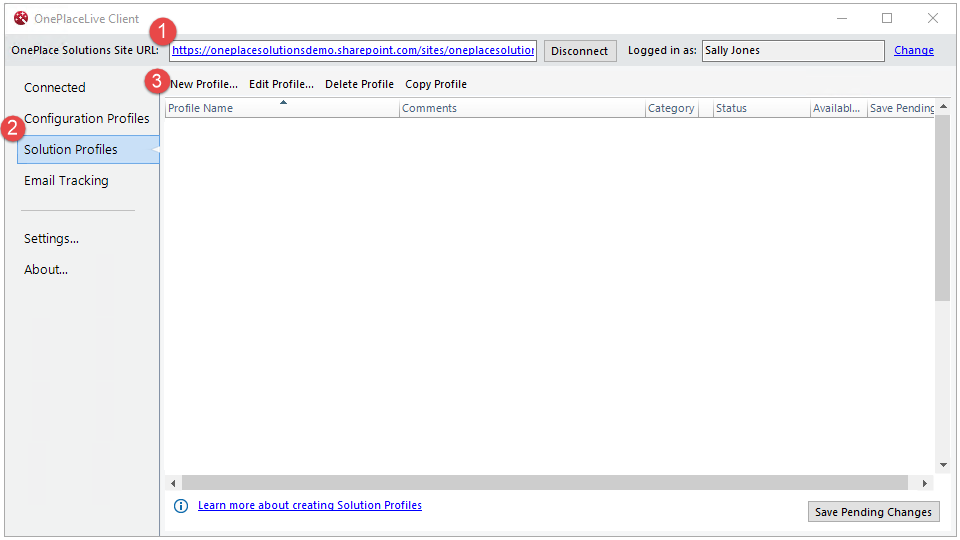
- Ensure you are connected to the admin site
- Select 'Solution Profiles'
- Select 'New Profile
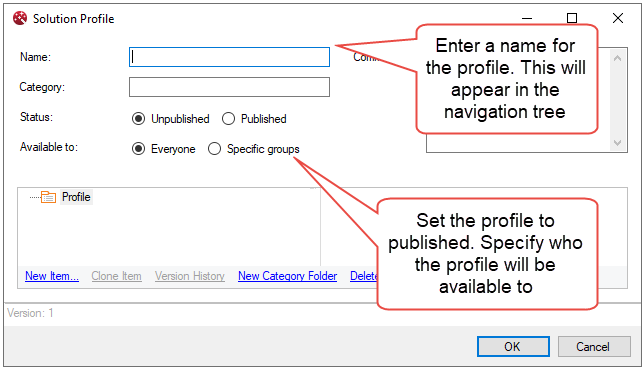
Name the profile and set permissions
Create an item
A Profile can consist of one or multiple items which will surface and deliver content to end users in Outlook and Office applications.
- Select New Item to choose an option
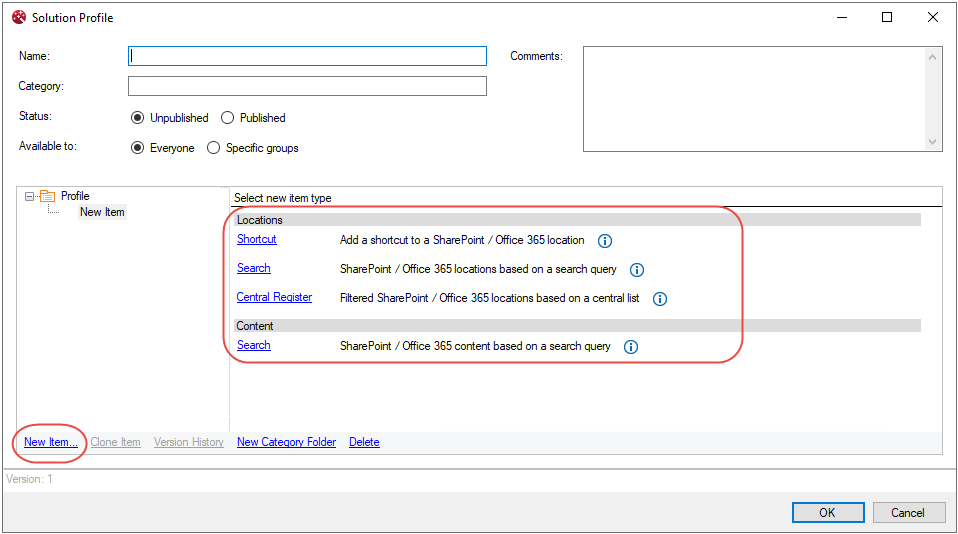
Further information for items:
